Setlists
Setlists from karaoke streams are automatically detected and stored. Over 2,800 setlists indexed, searchable by member, song title, or artist.
1Open the setlist page
Click "Songs" in the header to open the dropdown, then select "Setlists".
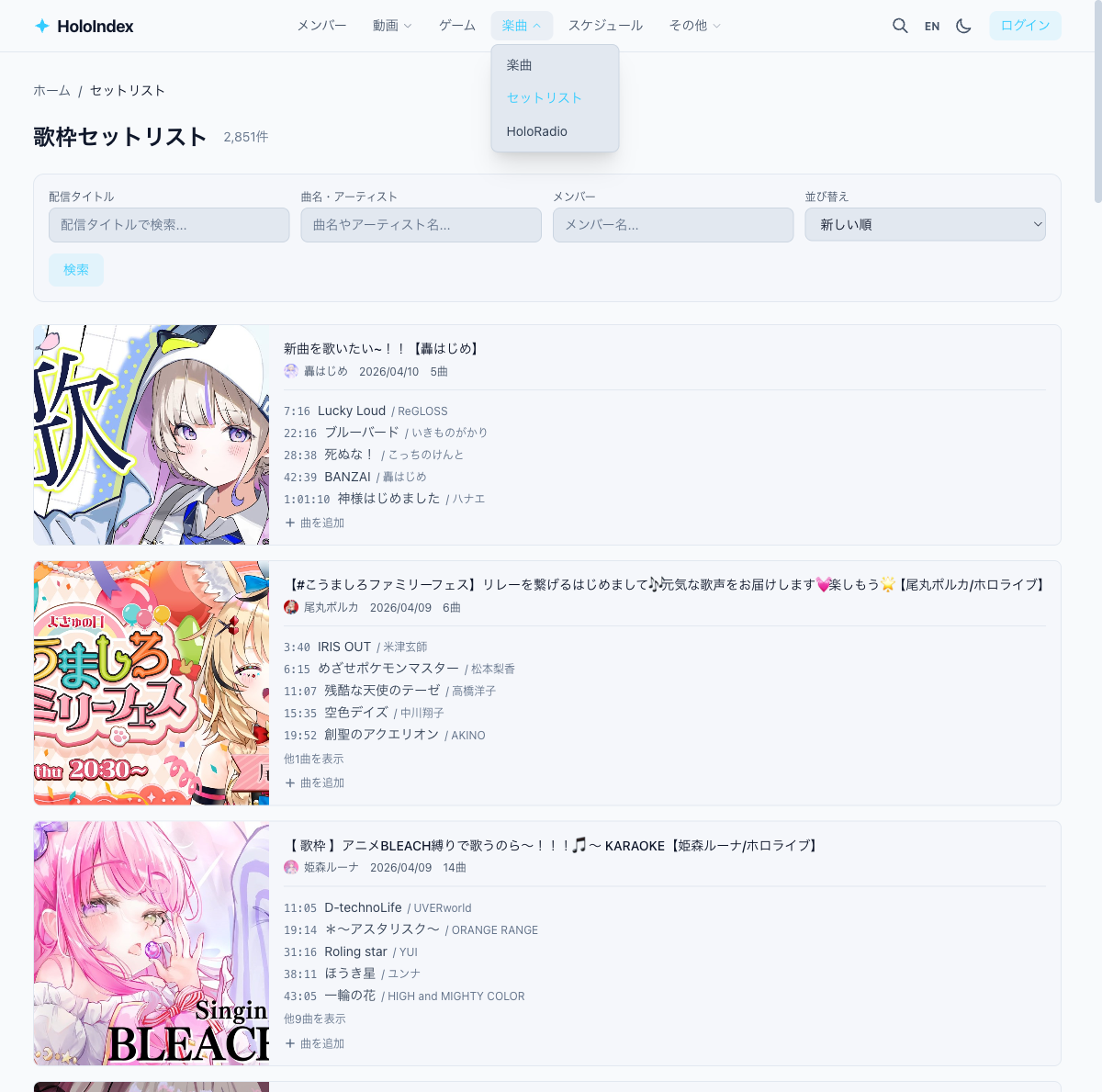
2Browse setlists
Setlists are displayed as cards sorted by newest. You can see the thumbnail, stream title, member name, and song count.
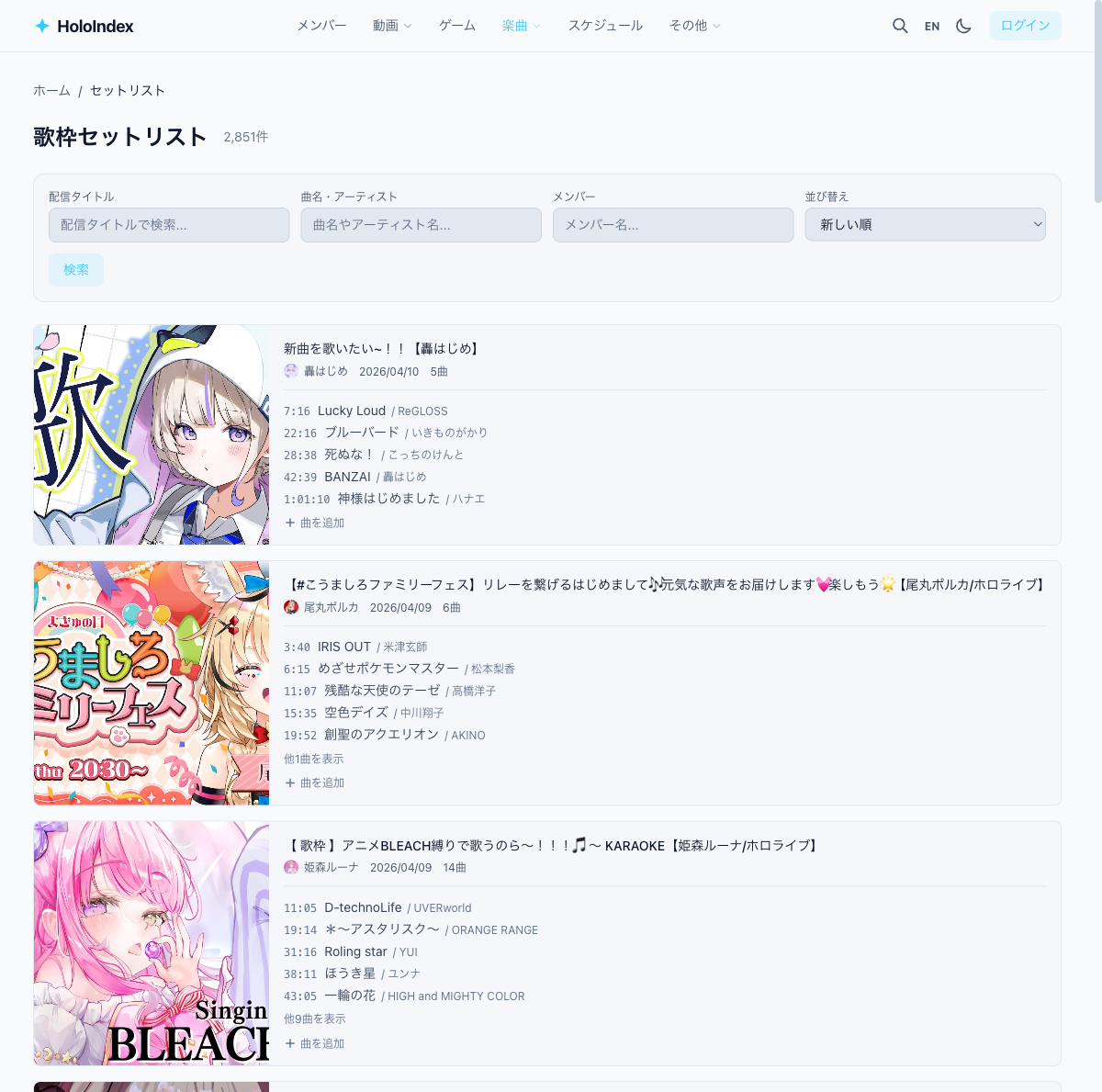
3Filter by member or song
Use the filters above the list to search.
- Stream title — Search by stream title
- Song/Artist — Search by song title or artist name
- Member — Show setlists for a specific member only
- Sort — Switch between newest/oldest
4View setlist details
Click a card to open the setlist detail page. Song titles, artists, and timestamps are listed.
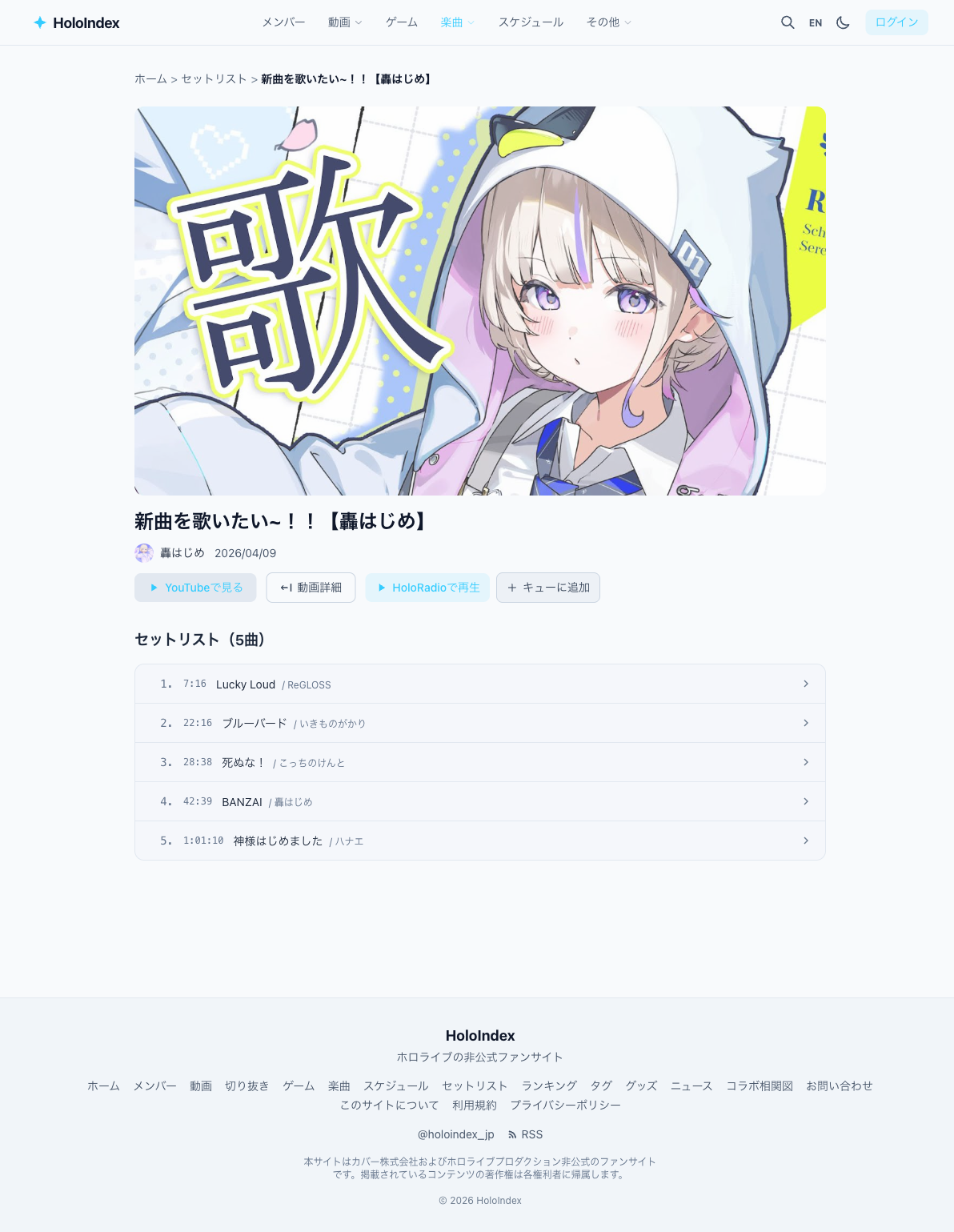
- • Click a timestamp to jump to that point on YouTube
- • Click a song title to see its song page with other covers
- • Use the Play on HoloRadio button for continuous playback
5Edit a setlist
After logging in, you can add or edit songs on setlist detail pages (no admin approval needed). Fix song titles, artists, timestamps, or add missing songs.