Games
Look up which members streamed a specific game. Search by title to find related streams, and check the annual game ranking.
1Open the games page
Click "Games" in the header to open the games page.
2Browse games
Games are displayed as cards with cover images, titles, stream counts, and number of members who played them.
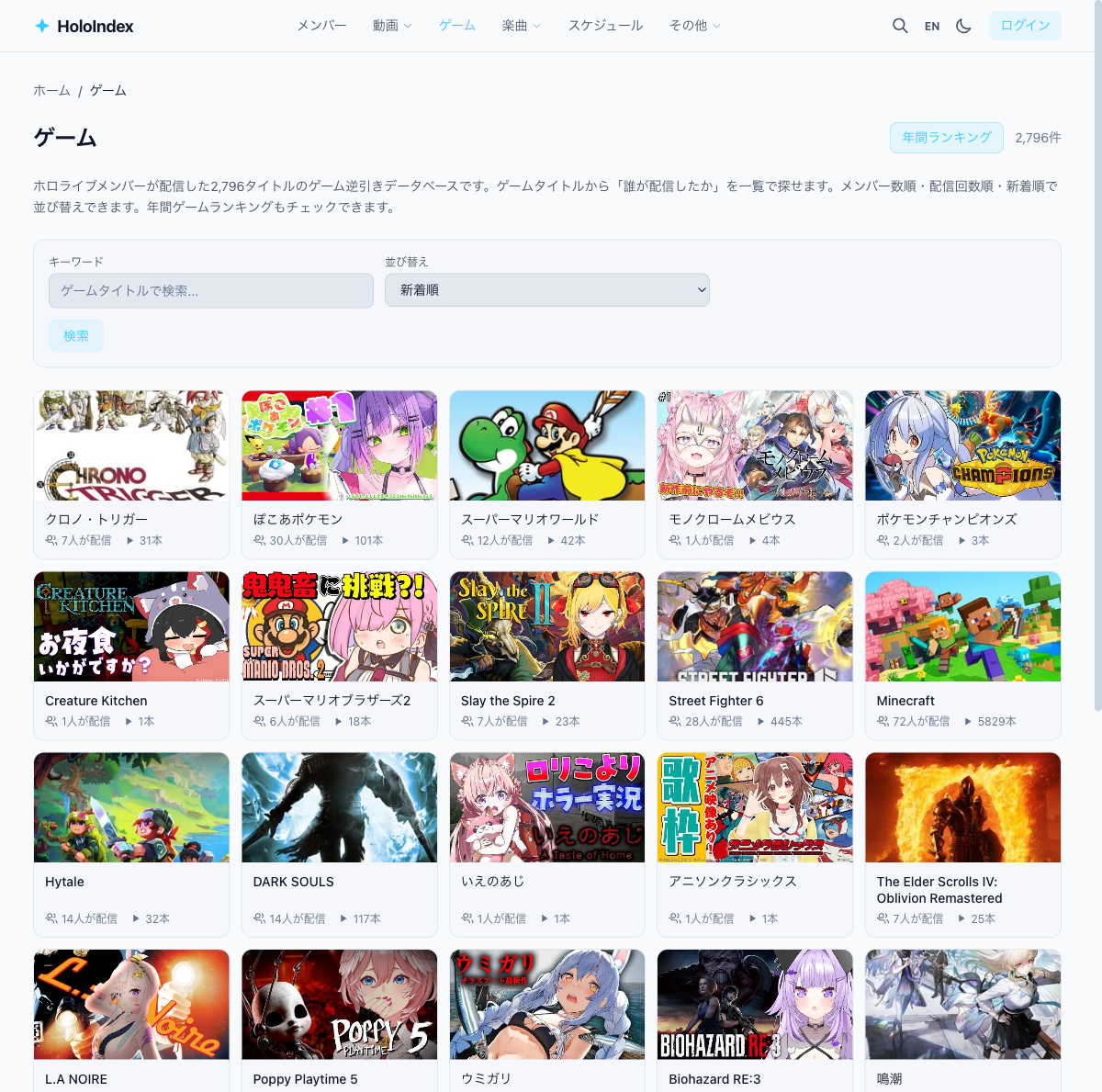
3Search for a game
Type a game name in the search bar to find it. Try "Minecraft" or "Pokemon".
4Game detail page (reverse lookup)
Click a game card to open its detail page. See which members streamed it and browse their videos.
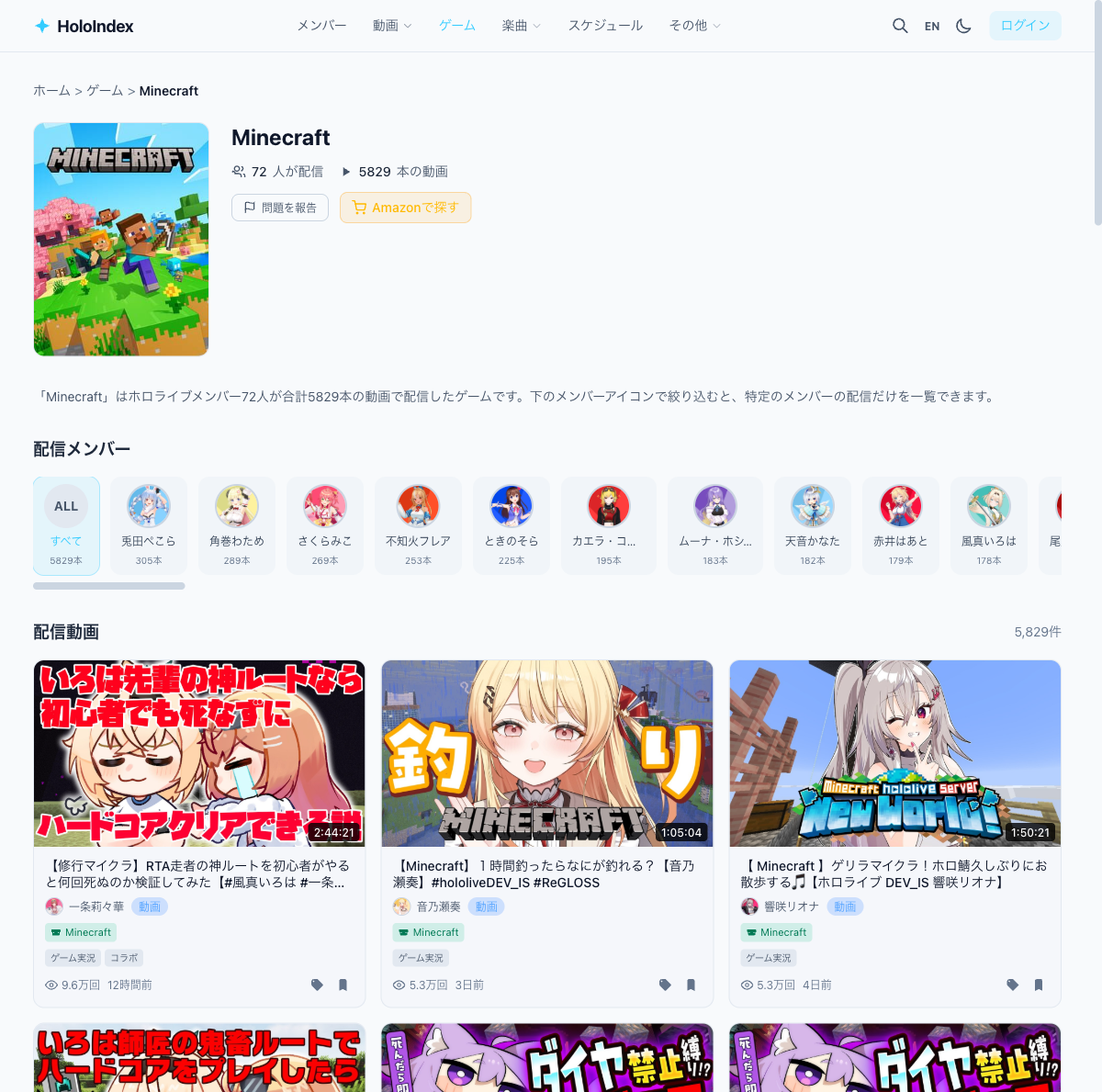
- • Streaming members — Icons of members who played this game
- • Stream videos — Videos grouped by member
- • Amazon link — Link to purchase the game
5Annual game ranking
Access the annual game ranking from the games page to see which games were streamed most each year.