Collab Network
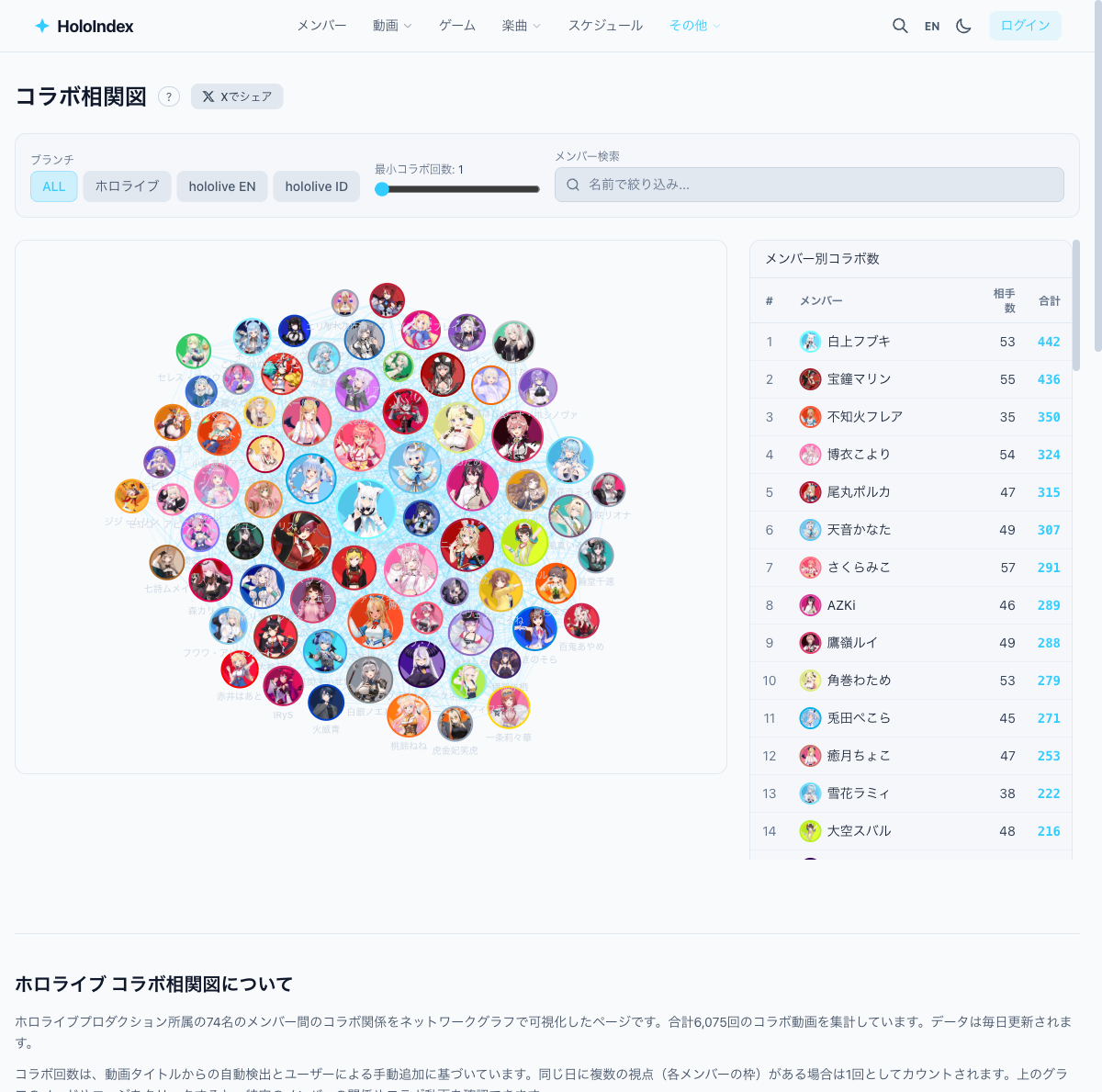
Visualize collaboration relationships between members as an interactive network graph. See who collaborates with whom at a glance.
1Open the collab network
Click "More" ▼ → "Collab Network" in the header.
2View the network graph
Members are shown as icon nodes, collaborations as edges. Thicker lines indicate more collaborations.
3Interact with the graph
- • Click a member — Highlights their collaborators
- • Click an edge — Shows collab count and video list
- • Drag — Move the graph around
4Collab ranking
A collab count ranking is shown beside the graph. You might discover unexpected pairings.